
WordPress to Postiz Pro
Automatically send content to your Postiz account for scheduled publishing to Facebook, X, Instagram, Threads, LinkedIn, Pinterest, Mastodon, Bluesky, TikTok and Google Business.
Version 1.1.6 (15th September, 2026)
Documentation | Changelog

Full Support for Pages, Posts and Custom Post Types
As well as Posts and Pages, WordPress to Postiz Pro works with all public Custom Post Types, including WooCommerce Products or any Theme / Plugin defined Custom Post Types.
For each Page, Post, Custom Post Type and Social Media account combination, separate options are available to enable or disable content sharing when:
- Manually reposting an existing Post (Bulk Publish)
- Publishing a new Post (Publish)
- Updating an existing published Post (Update)
- Automatically reposting an existing Post (Repost)
Multiple, Customisable Status Messages per Post
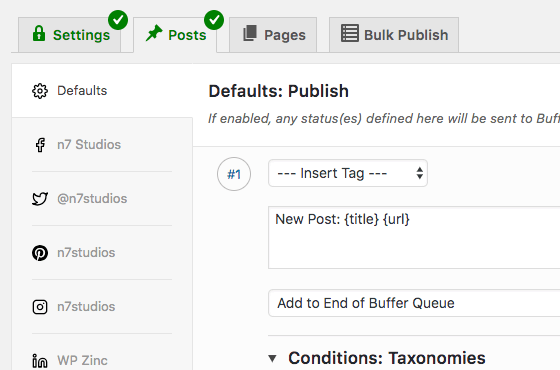
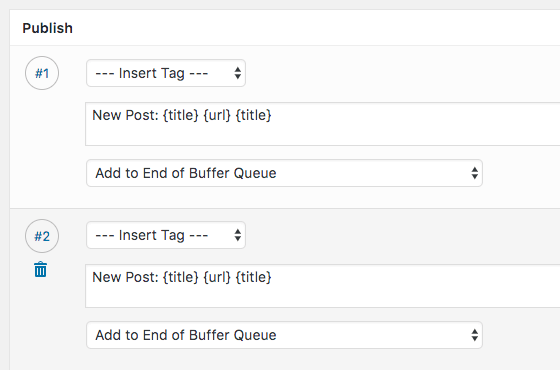
For each Post Type and Social Media account combination, you can specify any number of unique statuses – each with their own text and options.
Status updates are dynamically built using template tags. These include the Post’s title, excerpt, content, date, URL, any custom field data (including Advanced Custom Fields, Events Manager, The Events Calendar, Yoast SEO and more), any Post taxonomy terms and the Post’s author.
Shortcodes are also supported in the status text.
For example, you can share your content three times to Facebook, once to Twitter and twice to Instagram over the period of two days – each with their own, unique status messages.
Separate Options per Social Network
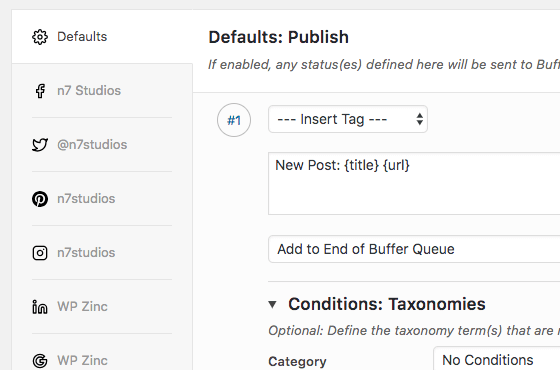
Unique status messages can be defined on a per-Post and social media account basis, allowing for any possible configuration to meet your social media publishing needs.
For example, you could define three short status updates for your Twitter profile, to be posted every week after a Post is published, alongside two Facebook status updates which contain more content.
Powerful Scheduling
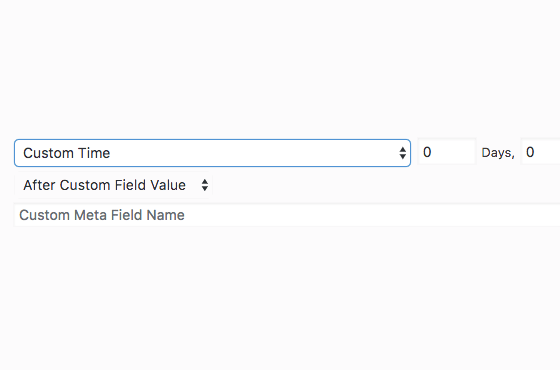
Each social media status update can independently be set to:
- Publish immediately,
- Publish at a defined time period after the Post’s publish date.
- Publish at a defined time period after a Post’s custom field / meta value (such as an ACF date field).
- The Events Calendar Plugin and Events Manager: schedule social media status updates based on your Event’s Start or End date, as well as display Event-specific details in your status updates.
Conditional Publishing
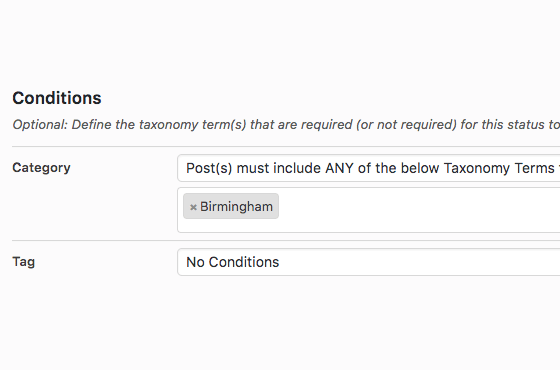
Easily schedule status updates to Postiz based on your post’s:
- Author – Target specific social profiles by WordPress author.
- Published Date Range – Perfect for seasonal content.
- Taxonomy Terms – Categories, tags, and custom taxonomies.
- Custom Fields – Flexible rules with operators like equals, not equals, greater/less than, and partial matches.
Customize your sharing strategy effortlessly:
- Share posts from selected authors to specific profiles.
- Post to different Pinterest boards based on categories.
- Schedule updates only within specific date ranges.
- Trigger posts when custom field values meet your criteria.
Take control of your content distribution—automate with precision.
Automatically Repost Old Posts
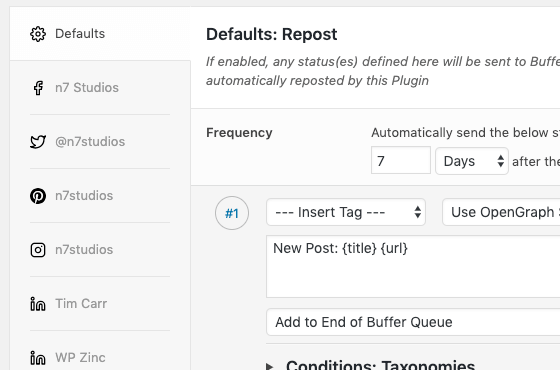
WordPress to Postiz Pro is the ideal solution if you want to revive old Posts, Pages or Custom Post Types that you’re unlikely to manually edit or update, which perhaps contain evergreen and always relevant content that would be useful to your social media followers.
For each Post Type, you can choose the maximum number of Posts per day to re-share, how often to re-share the same Post and how old the Post should be for it to be reposted to Postiz. For example, you can set Posts to be re-shared to social media every 5 days, 3 weeks, annually etc, relative to the Post’s published date.
Just like the settings available when publishing and updating Posts, Pages and Custom Post Types, one or more status updates can be added for each Post Type and Social Media account, as well as powerful scheduling and conditional publishing.
Manually Bulk Publish Old Posts
If you prefer more control over reviving old Posts that you’re unlikely to manually edit or update, the Bulk Publish functionality is perfect for evergreen WordPress content that you want to send occasionally or one time to your social media profiles.
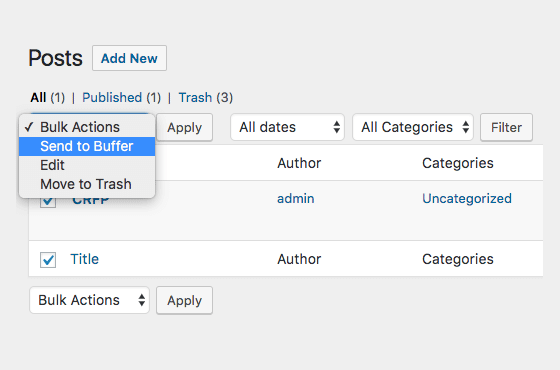
The simple bulk publishing interface allows you to query for Posts, Pages or Custom Post Types published in a specified time period, before choosing which Posts, Pages or Custom Post Types to schedule for sharing on your chosen social media accounts.
You can also choose Posts, Pages and Custom Post Types using the Bulk Actions in WordPress, and send them straight to Postiz.
Per-Post Settings
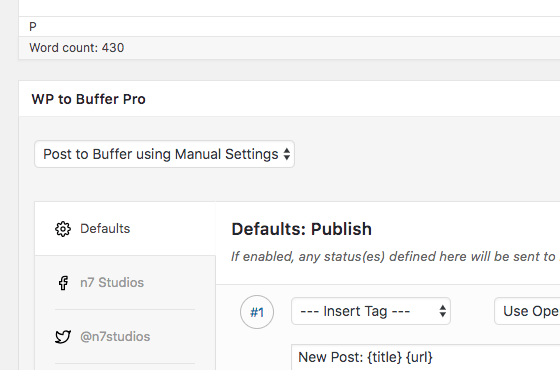
Per-Post Settings offer greater control for the times where you need to define specific social media status updates for an individual Post, Page or Custom Post Type.
The same settings interface and options above are available in the WordPress Editor, allowing you to define one or more status updates – specific to a Post – for the publish, update and repost actions, for each social media account connected to Postiz.
Full Image Control
For each Post Type and Social Media account combination, you can choose to either:
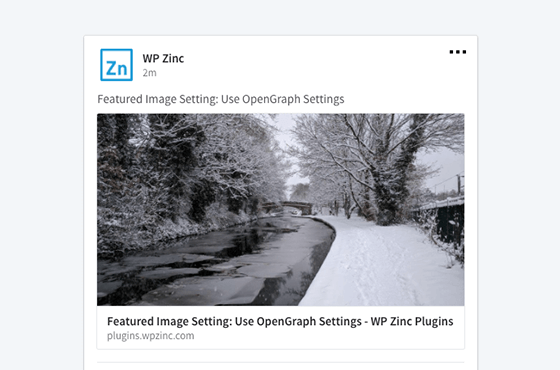
- Use your SEO or Open Graph Plugin’s defined image (know as a Link Preview),
- Use your Post’s Featured Image,
- Use an Advanced Custom Field’s image field as the image source.
WordPress to Postiz Pro also provides its own Featured Image option, should your Custom Post Type not have Featured Image support, and/or you need to use a different image for your social network posts vs. your Post’s Featured Image.
Alternatively, there’s an option on each status message to automatically generate an image from some text, with global configuration options including font type, size, foreground and background colors and per-profile background images.

Multiple Images per Status
For Facebook, Instagram, X / Twitter, LinkedIn, Mastodon, Threads and BlueSky, up to 10 images can be specified to be included in a status update, from either:
- The Plugin’s Additional Images selector,
- Automatically scraped from your Post’s content,
- An Advanced Custom Fields Gallery field.
Users can then click on the individual images within the status to see the full size versions.
Pricing
Single
$39
per year
Great for beginners who want to use WP to Postiz Pro on 1 site.
✓
1 Year Support & Updates
✓
1 Site
Unlimited
$89
per year
Great for professionals who are building a lot of WordPress websites.
✓
1 Year Support & Updates
✓
Unlimited Sites
✓
WordPress Multisite Supported
Lifetime
$199
Great for those who don’t like a subscription. Pay once.
✓
Lifetime Support & Updates
✓
Unlimited Sites
✓
WordPress Multisite Supported
Agency
$299
Build client sites + whitelabelling & access control. Pay once.
✓
Lifetime Support & Updates
✓
Unlimited Sites
✓
WordPress Multisite Supported
✓
Allow Client Use

Our 100% No-Risk Money Back Guarantee!
We’re thrilled to have you experience our Plugins. Over the next 14 days, if this isn’t the best fit, simply reach out. We’ll happily refund 100% of your money. No questions asked.